
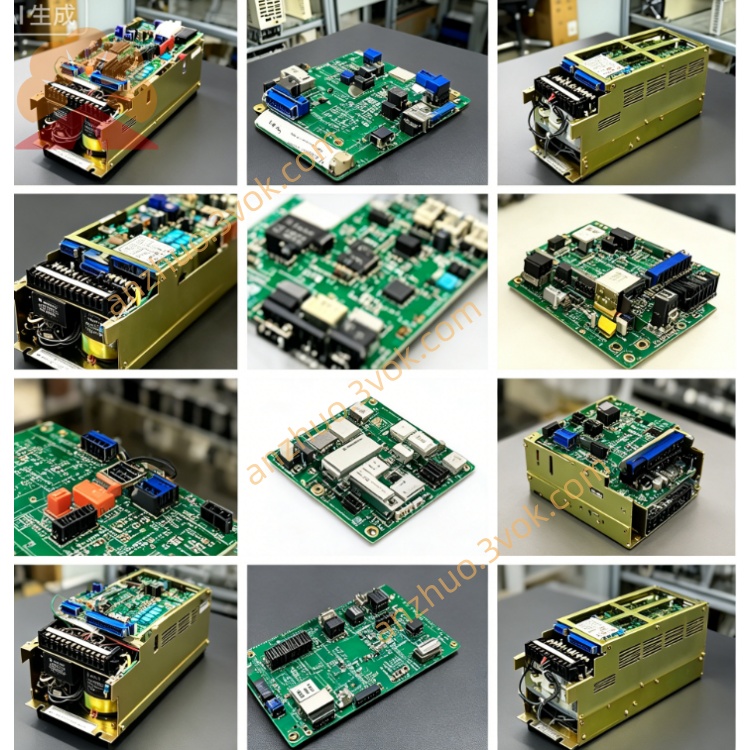
Yaskawa JANCD-GMR22 CNC Relay Control Board
Description
Specification Parameters
Model: JANCD-GMR22 (DF7000079)
Type: CNC graphic display control board
Compatible Systems: YASNAC 2000G, 3000G
Power Supply: DC5V (Power supply for the back panel)
Form: Full-length industrial board, gold finger slots
Operating Temperature: 0℃ to +55℃
Storage Temperature: -25℃ to +85℃
Humidity: 30% to 95% RH (no condensation)
Interface Definitions
CN1: CRT video output (including horizontal/vertical synchronization)
CN2: CRT video output (including horizontal/vertical synchronization)
System Bus: High-speed data interaction with GMM11/GMM12
Panel Interface: Connects MDI operation panel / keyboard
Indicators: PWR (Power), RUN (Operation), ALM (Alarm) Core function
Display driver: Outputs standard CRT interface including coordinates, programs, tool compensation, alarms, etc.
Graphics processing: Renders processing trajectories, simulates tool paths, and displays dynamic coordinates.
Interface management: Supports MDI editing, parameter setting, program browsing, and alarm information display.
Data interaction: Exchanges display data and operation instructions with the main CPU in real time.
Installation and wiring:
Installation position: Backplane slot, vertically installed and locked, in the same slot as GMM11/GMM12.
Power supply: Powered by the DC5V of the backplane, no additional power supply required.
Grounding: The metal casing of the board card is reliably grounded with the cabinet to reduce interference.
Cabling: Avoid close proximity to power cables and strong interference sources, and do not run parallel with power cables.
Bus connection: Automatically connects the system bus after inserting the backplane, no additional configuration required.
Power on and self-check:
Pre-power-on check: Confirm that the board card is securely inserted, the grounding is good, and there is no short circuit.
Power-on sequence: Power on the cabinet main power first, then the system power.
Status indication: PWR always on, RUN flashes (normal operation), ALM off.
Self-check process: The system automatically detects GMR22 and GMM communication. If there is an abnormality, ALM lights up and prompts the code.
Daily operation:
Display switching: Switch between coordinate, program, graphics, and alarm interfaces through panel buttons.
Graphics simulation: Start trajectory simulation after calling the program, supports zooming and panning.
Parameter editing: Enter the parameter page to modify, save the changes, and restart to take effect.
Alarm viewing: Enter the alarm interface when ALM is on, display the fault code and description.
Maintenance and care:
Regular cleaning: Power off and blow dust from the board card every 3-6 months, focus on cleaning the gold fingers and interfaces.
Contact check: Check for oxidation on the gold fingers and no looseness in the slots. Clean with an eraser if necessary.
Interface check: Check for no looseness in CN1/CN2 and panel interfaces, and no deformation of the pins.
Heat dissipation check: Ensure the cabinet fan is normal, the air duct is unobstructed, and the ambient temperature does not exceed 55℃.
Fault diagnosis:
No display / black screen: Power supply abnormal, poor contact of gold fingers, damaged CRT cable, display chip failure.
Flickering / garbled display: Aging of graphics chip, abnormal communication with GMM, cache failure, excessive interference.
Display lag: Inefficient data interaction, cache overflow, GMM load is too high.
ALM always on: Communication failure, board card damage, mismatched configuration.
Safety precautions:
Installation and maintenance must be performed with power off to prevent electric shock and equipment damage.
Do not plug or unplug the board card while powered on, to avoid burning the interface and chips.
Non-professionals are not allowed to disassemble or modify the board card, otherwise the warranty is lost.
Faulty board cards need to be repaired or replaced by authorized personnel from Yaskawa.
Get a Quote