
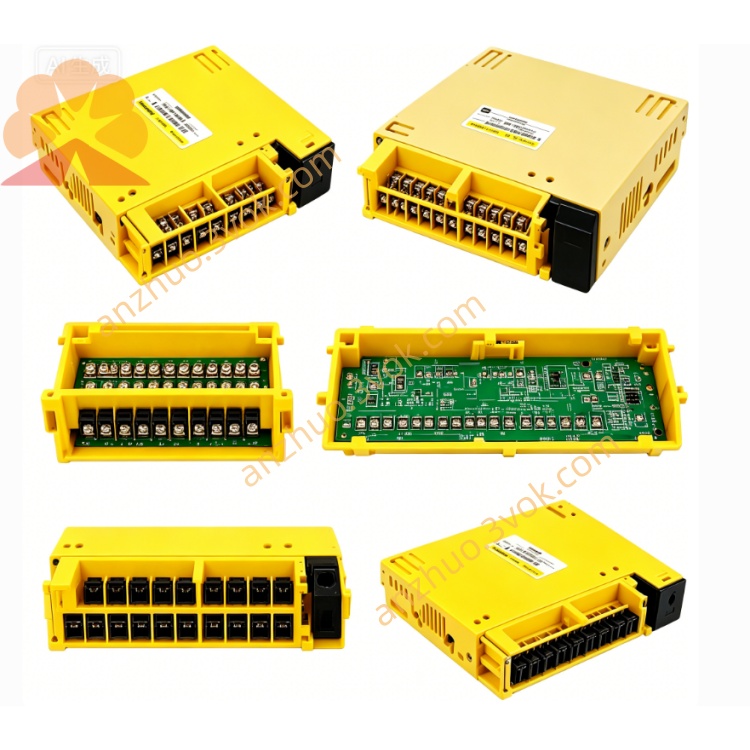
Fanuc A20B-2000-0175/08B I/O Link Signal Board
Description
Electrical Specifications
Environmental Parameters
Onboard LED Indication
Safety Precautions
Cut off all power and wait over 5 minutes for discharge before maintenance.
Wear anti-static tools to avoid static damage to circuit board.
Do not plug or unplug cables under powered status.
Strictly forbid unauthorized circuit modification.
Damaged board may cause machine malfunction and safety accident.
Installation Steps
Power off the whole equipment and lock power supply.
Install anti-static protection equipment.
Insert PCB into cabinet backplane slot and fix screws tightly.
Connect memory board, axis board and I/O expansion boards.
Wire power, display, servo and signal cables as standard diagram.
Check all connections, restore power and test running status.
Compatible Boards
Daily Maintenance
Clean surface dust regularly with dry soft cloth.
Inspect connectors every 3 months for looseness and corrosion.
Backup system parameters and PMC program periodically.
Check no bulged capacitor or burnt components visually.
Troubleshooting
Black screen no display: Check 24V power supply and board connection.
Watchdog alarm 920: Reinstall sub boards and memory card.
Axis movement failure: Inspect servo board and signal wiring.
Memory card error: Re-seat or replace new memory card.
Get a Quote