
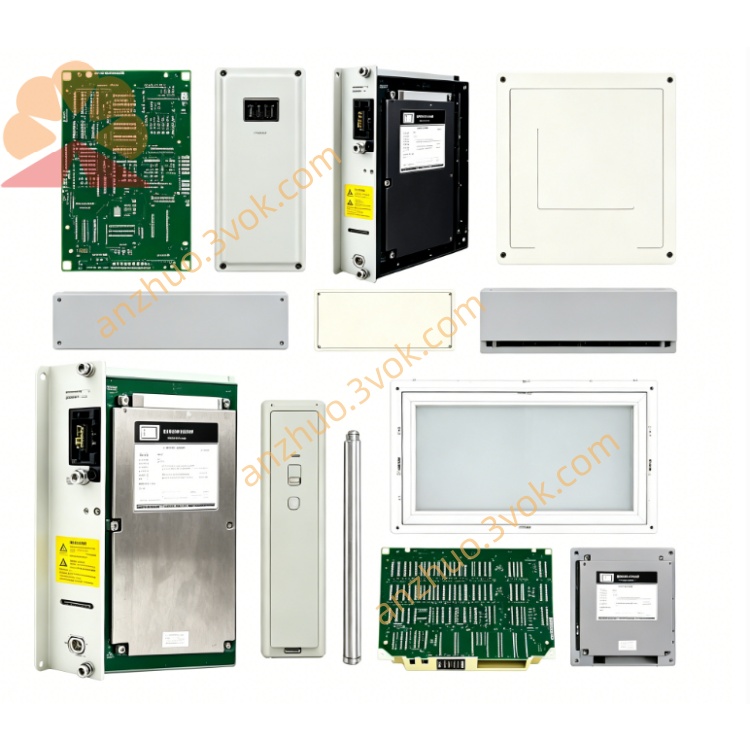
Honeywell 51304685100 Circuit Board
Description
1. Product Overview
2. Part Number & Physical
Model: 51304685100 (51304685-100)
Type: Advanced Communication Module / APMM
Weight: ~0.9 kg
Dimensions: 318 × 29 × 278 mm
Mounting: Standard Honeywell I/O rack
3. Technical Specifications
Power Supply: 24 VDC (backplane)
Power Consumption: ~7 W
Network Speed: Up to 75 Mbps
Ports: 14 Ethernet ports (typical)
Max Devices: 16 devices
Protocols: Ethernet/IP, Modbus TCP, RS‑485, RS‑232
Operating Temp: 0 °C to +60 °C
Storage Temp: −40 °C to +85 °C
Certifications: CE, RoHS, UL, Honeywell EMC compliant
4. Key Features
High-speed UCN communication for Experion/TDC3000
Precision time synchronization (timestamping)
Redundancy support for high-availability systems
Conformal coating for dust/moisture resistance
Hot-swappable (no system shutdown)
LED status indicators for power, run, fault
5. Applications
Honeywell Experion & TDC3000 DCS
UCN network communication management
Process control: chemical, power, oil & gas
High‑speed data acquisition & diagnostics
Distributed control system synchronization
6. Installation & Wiring
Power Off: Disconnect rack power before insertion/removal.
Rack Slot: Insert module into designated UCN/APM slot; secure latch.
Cabling: Use shielded Ethernet cable (CAT5e/CAT6).
Grounding: Shield ground at cabinet end only (avoid ground loops).
Separation: Keep comms cables ≥ 30 cm from high‑voltage AC lines.
7. LED Indicator Description
PWR (Green): On = 24 VDC power normal
RUN (Green): Flashing = normal communication
FLT (Red): On = fault (comm loss, config error, overload)
8. Maintenance & Troubleshooting
Inspect: Quarterly check connectors, coating, physical damage.
Clean: Dry cloth only; no liquid cleaners.
Fault Handling:
FLT on: Verify cabling, port status, and UCN configuration.
Check backplane power and network termination.
Replacement: Use only original Honeywell modules; power off first.
9. Safety Precautions
Electrical: Disconnect all power before wiring/maintenance.
Environmental: Avoid moisture, dust, corrosive gases beyond ratings.
Modification: Do not alter hardware/firmware; use OEM replacements.
10. Compatibility
Systems: Honeywell Experion, TDC3000, UCN, APM racks
Related Parts: 51304685-150 (higher‑grade comm card)
Get a Quote