
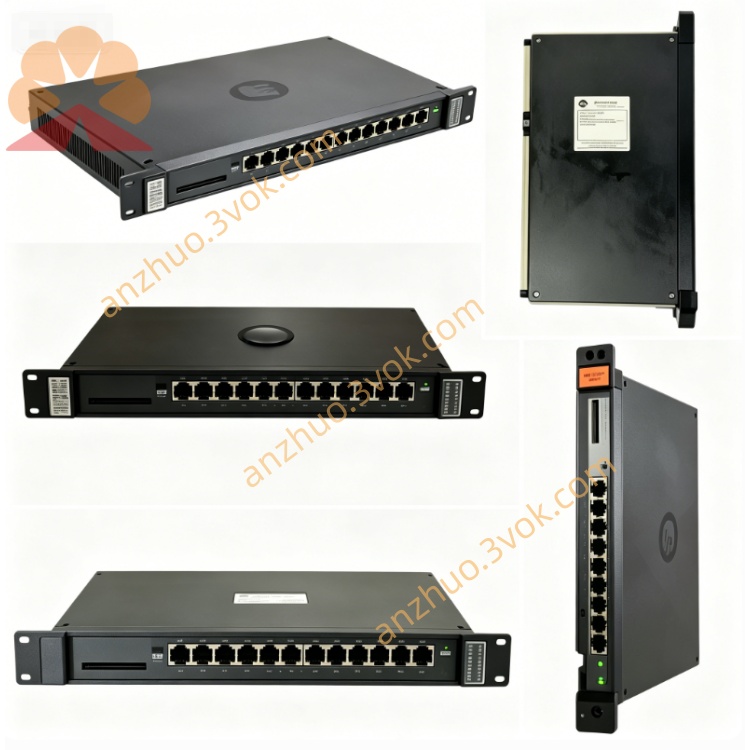
0-50005-R
Description
1. General Information
Manufacturer: Reliance Electric (Rockwell Automation)
Part Number: 0-50005-R (also 050005R)
Product Line: SealPak (Sealed DC Drive Control System)
Type: Isolated Analog/Digital I/O Interface Card
Function: Signal conditioning, isolation, and interfacing between field sensors/actuators and SealPak control cards
Status: Obsolete / Discontinued (repair & surplus only)
NSN: 4920-00-738-0511
2. Electrical Specifications
Power Requirements
Control Power: +5 VDC, ±15 VDC (SealPak backplane bus)
Power Consumption: ≤ 15 W
Analog Inputs (4 channels, isolated)
Signal Range: ±10 VDC (4–20 mA with external resistor)
Resolution: 12-bit
Accuracy: ±0.1% FSR
Input Impedance: ≥ 100 kΩ
Isolation: 1500 VAC (channel-to-logic ground)
Analog Outputs (2 channels, isolated)
Signal Range: ±10 VDC
Resolution: 12-bit
Accuracy: ±0.1% FSR
Drive Capability: 50 mA per channel
Isolation: 1500 VAC (channel-to-logic ground)
Digital Inputs (8 channels, optically isolated)
Input Voltage: 24 VDC logic (18–30 VDC range)
Logic Level: ON ≥ 18 VDC, OFF ≤ 5 VDC
Isolation: 2500 VAC
Digital Outputs (4 channels, relay dry contact)
Contact Rating: 24 VDC / 1 A (resistive load)
Isolation: 2500 VAC
Response Time: ≤ 10 ms
Protection
Overvoltage, reverse polarity, short-circuit, ESD protection
On-board self-resetting fuses
3. Mechanical & Environmental
Mounting: Standard SealPak slot-mount (slide-in + front locking screw)
Dimensions (L×W×H): 279 × 216 × 178 mm (11.0 × 8.5 × 7.0 in)
Weight: Approx. 1.3 kg (2.9 lbs)
Operating Temperature: 0°C to 55°C (32°F to 131°F)
Storage Temperature: -25°C to 65°C (-13°F to 149°F)
Humidity: 5%–95% non-condensing
Coating: Conformal coated PCB (dust/moisture/corrosion resistance)
Enclosure: Sealed, industrial-grade (suitable for steel, paper, mining)
4. Key Features
High Isolation: 1500/2500 VAC isolation between field I/O and control logic
Signal Conversion: Converts 4–20 mA / ±10 V field signals to standard control levels
Multi-Channel I/O: 4 analog in, 2 analog out, 8 digital in, 4 digital out
Front-Panel Diagnostics: Power LED, channel status LEDs, fault LED
Noise Immunity: Designed for harsh industrial environments with high electrical noise
Direct Replacement: Drop-in replacement for non-R version 0-50005
5. Compatible System & Matched Modules
System: SealPak DC drive rack (legacy)
Typical Configuration:
0-50001-2R: Main Control Card
0-50004-R: DC Amplifier Card
0-50005-R: I/O Interface Card (this unit)
0-50010-R: Power Supply Card
6. Installation Instructions
Power Off: Shut down and lock out the SealPak rack power.
Insert Card: Slide 0-50005-R into an empty slot in the rack.
Secure: Tighten the front-panel locking screw to secure the card.
Connect Wiring:
Field I/O: Connect sensors/actuators to the terminal strip.
Backplane: Ensure proper seating for +5 VDC, ±15 VDC, and communication bus.
Power On: Restore power and verify the Power LED is ON.
7. Calibration & Setup
Analog Input Calibration
Apply a precise ±10 VDC signal to the input channel.
Adjust the corresponding trim pot on the card for accurate reading at the control card.
Repeat for all 4 analog input channels.
Analog Output Calibration
Connect a voltmeter to the output channel.
Set the control card to output ±10 VDC.
Adjust the trim pot for exactly ±10 VDC at the terminal.
Repeat for both analog output channels.
Digital I/O Check
Apply 24 VDC to each digital input; verify the corresponding LED lights.
Trigger each digital output; verify relay click and continuity across contacts.
8. Operation & Fault Diagnosis
Normal Operation
Power LED: ON (indicates +5 VDC bus power is present)
Channel LEDs: Reflect input/output status (analog: signal present; digital: ON/OFF)
Fault LED: OFF
Fault Conditions
Fault LED ON: Indicates overvoltage, short-circuit, or thermal overload.
Action: Power off, inspect wiring for shorts, check for overloaded outputs, reset after cooling.
No Analog Input: Check field sensor wiring, input signal range, and on-board fuse.
No Analog Output: Check control signal, output wiring, and load impedance.
Digital Input Not Responding: Verify 24 VDC supply and input wiring.
Digital Output Not Switching: Check relay contacts, load wiring, and power.
9. Safety & Maintenance
Safety: Disconnect all power before servicing. High voltage may be present even after power-off.
Maintenance: Inspect quarterly for loose connections, damaged wiring, or corrosion. Clean with dry compressed air only.
Repair: This card is obsolete; contact Reliance Electric or authorized vendors for repair or replacement options.
Get a Quote