
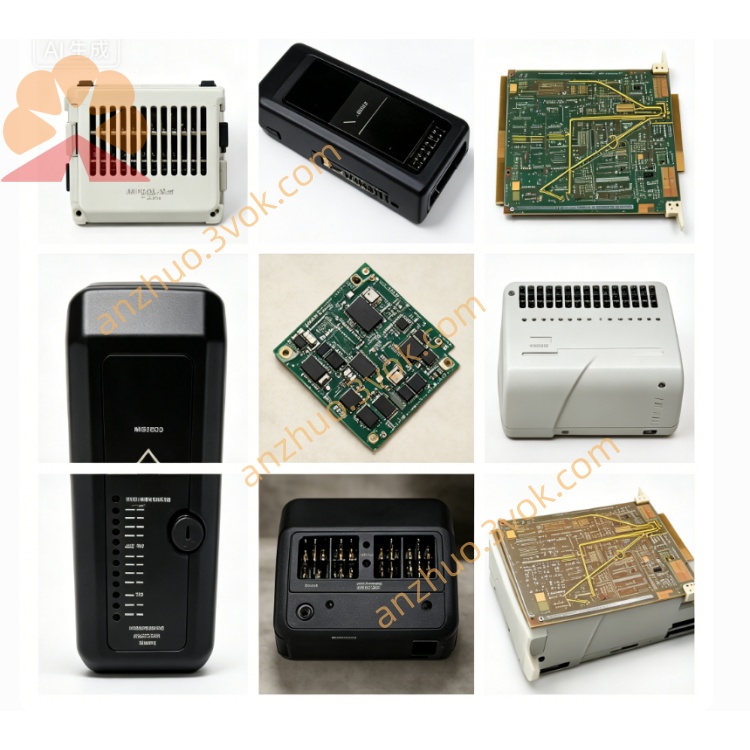
Emerson 3D04153G08 Ovation DCS Signal I/O Board
Description
Specifications
Manufacturer: Westinghouse (Emerson)
Model: 3D04153G08
Product Type: Integrated Disk & Floppy Drive Assembly
Hard Disk Drive: 85MB (Micropolis 1325 or Maxtor XT1085)
Floppy Disk Drive: 5.25‑inch, standard density
Operating Voltage: 230VAC, 50/60Hz
Compatible System: Exclusive to WDPF DCS; not compatible with Ovation or DeltaV platforms
Mounting: Standard WDPF rack slot, direct backplane connection
Operating Temperature: 0°C to +50°C
Storage Temperature: -20°C to +70°C
Status: Discontinued (EOL); refurbished/used only
Key Features
High‑Capacity Storage: Equipped with an 85MB hard disk, providing significantly larger storage than the earlier 25MB models (G01–G04) to accommodate larger operating programs and extended historical process data logs.
230VAC Power Input: Optimized for European, Asian, and other industrial grids operating on 230VAC, ensuring reliable performance in global heavy‑duty applications.
Integrated Boot and Backup Media: Combines a hard disk for primary system boot and program storage with a 5.25‑inch floppy drive for offline configuration backup, data restoration, and low‑level diagnostics.
Rack‑Mounted Design: Built to fit standard WDPF rack slots, connecting directly to the WDPF backplane for simple, drop‑in installation and replacement, minimizing system downtime during maintenance.
Robust Industrial Construction: Engineered to withstand the vibration, temperature fluctuations, and electrical noise typical of power plants, petrochemical facilities, and other heavy industrial sites.
Applications
WDPF DCS Controller Stations: Installed in controller nodes of legacy WDPF systems deployed in thermal power plants, nuclear power plants, petrochemical complexes, and other process industries.
Legacy System Upgrades and Replacements: Used to replace aging 25MB storage assemblies (G02, G04) or earlier 85MB 230VAC units (G06) to extend the service life of existing WDPF installations.
System Maintenance and Backup: Utilized for routine system boot, program updates, and offline backup of critical control configurations and historical process data.
3D04153 Series Variants
G01: 25MB, 115VAC
G02: 25MB, 230VAC
G03: 25MB, 100VAC
G04: 25MB, universal 115/230VAC
G05: 85MB, 115VAC
G06: 85MB, 230VAC
G07: 85MB, 115VAC (final 115VAC revision)
G08: 85MB, 230VAC (final 230VAC revision)
Installation and Operation
Installation: Ensure the WDPF rack is powered off before installation. Align the assembly with the standard rack slot, insert firmly into the backplane connector, and secure with rack screws. Verify all connections are tight before restoring power.
Power‑On: After installation, apply 230VAC power. The assembly will initialize automatically; the hard disk will spin up, and the floppy drive will perform a self‑check. No user configuration is required for basic operation.
Boot Operation: The unit serves as the primary boot device for the WDPF controller. Ensure the system boot files are loaded on the hard disk; use the floppy drive for boot media recovery if needed.
Data Backup: Insert a formatted 5.25‑inch floppy disk into the drive to perform offline backups of system configurations, control programs, or historical data following WDPF operational procedures.
Maintenance and Troubleshooting
Preventive Maintenance: Inspect the assembly quarterly for physical damage, loose connections, or signs of overheating. Clean the exterior with a dry, lint‑free cloth; do not use liquid cleaners.
Hard Disk Issues: If the system fails to boot or reports disk errors, check for unusual noises (clicking, grinding) from the hard disk, which indicates a faulty drive. Replace the assembly with a refurbished unit.
Floppy Drive Issues: If the floppy drive fails to read/write disks, clean the drive heads with a 5.25‑inch head‑cleaning disk. If problems persist, the drive may be worn and require replacement.
Power Supply Issues: Verify the 230VAC input voltage is within tolerance (±10%). Check for blown fuses or damaged power connectors on the assembly.
Safety Notes
Electrical Safety: Always disconnect power to the WDPF rack before installing, removing, or servicing the assembly to avoid electric shock.
ESD Protection: Use proper electrostatic discharge (ESD) protection (grounding wrist strap, anti‑static mat) when handling the assembly to prevent damage to sensitive electronic components.
Environmental Safety: Do not operate the assembly in explosive or flammable atmospheres. Ensure adequate ventilation around the rack to prevent overheating.
Compliance: All installation, maintenance, and operation must comply with Emerson/Westinghouse WDPF technical specifications and site safety regulations.
Warranty and Availability
Warranty: Refurbished units typically include a 12‑month warranty from the supplier, covering defects in materials and workmanship.
Availability: As an EOL product, new units are unavailable. Refurbished or used stock is limited; lead times for delivery or repair range from 2 to 4 weeks, with rush repair options available for critical applications.
Get a Quote