
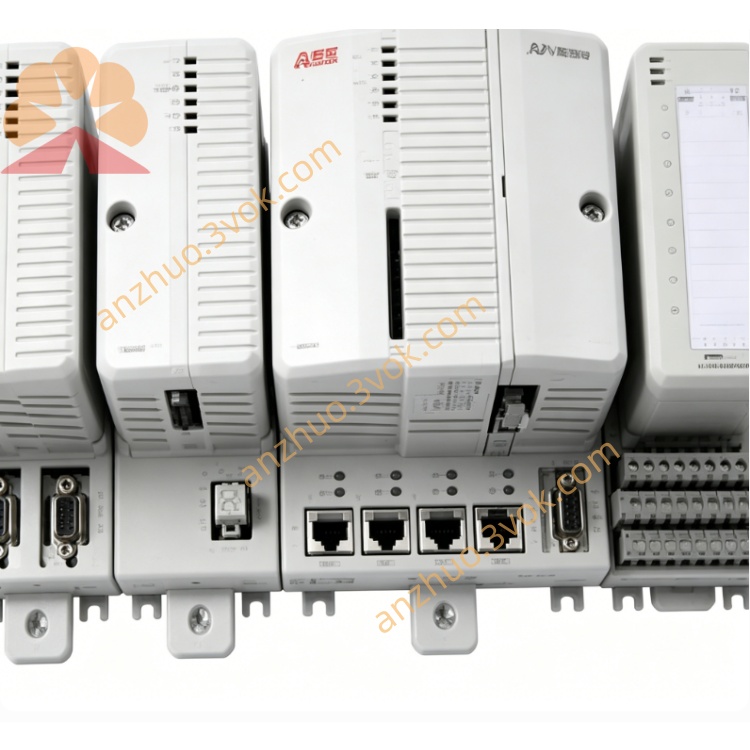
ABB 1SBP260183R1001 CP430B touch screen operator terminal
1SBP260183R1001 is CP430B touch screen operator terminal from ABB CP400 HMI family, specially developed to cooperate with AC31 PLC and S500 I/O modules for on-site industrial human-machine monitoring and parameter configuration. It is designed for cabinet door embedded mounting with a 5.7-inch monochrome STN touch LCD and auxiliary physical shortcut keys. Original mass production has been phased out by manufacturer, genuine original spare stock and fully tested refurbished units are available for legacy automation equipment maintenance and control system retrofitting.
Description
Product Introduction
1SBP260183R1001 is CP430B touch screen operator terminal from ABB CP400 HMI family, specially developed to cooperate with AC31 PLC and S500 I/O modules for on-site industrial human-machine monitoring and parameter configuration. It is designed for cabinet door embedded mounting with a 5.7-inch monochrome STN touch LCD and auxiliary physical shortcut keys. Original mass production has been phased out by manufacturer, genuine original spare stock and fully tested refurbished units are available for legacy automation equipment maintenance and control system retrofitting.
Model Definition
1SBP serves as fixed unified part prefix for ABB CP series HMI spare coding specification. 260183 is fixed hardware code corresponding to CP430B touch panel. Suffix R1001 indicates factory standard hardware revision and default original firmware configuration. Alternative suffix codes only update internal firmware version without changing outer dimension, mounting size and communication definition.
Technical Specifications
The panel is powered by 24VDC industrial direct current with permissible voltage fluctuation of ±15% and built-in internal protective fuse. It is equipped with 5.7-inch blue backlight monochrome STN touch LCD at 320×240 pixel resolution and six programmable side shortcut keys. Front operation face complies with IP65 protection rating against dust and splashing liquid while rear wiring area maintains IP20 rating. Operating ambient temperature ranges from 0℃ to +50℃, storage temperature is -20℃~+70℃ and applicable working humidity keeps between 5% and 95% under non-condensing environment. Internal communication circuit is galvanically isolated and the product meets CE and UL industrial certification requirements. The unit is equipped with 4MB program storage memory and battery backed RAM for offline recipe data retention.
Interface and Communication Configuration
RS232 and RS485 dual serial communication terminals are arranged on rear housing, supporting proprietary ABB AC31 communication protocol and Modbus RTU protocol for wired connection with AC31 CPU and ABB ACS series inverters via dedicated communication cables. No onboard Ethernet or Profibus fieldbus port and no S500 backplane plug-in connector are equipped under standard factory configuration, all data exchange relies entirely on external serial wiring.
Core Functions
The terminal continuously collects digital status signals, analog process values and fault alarm information from paired PLC and variable frequency drives, and displays equipment operating status, trend data and alarm messages via mixed graphic and text on touch screen. Operators can adjust setpoints, input control commands and switch production recipes by touching screen and physical shortcut keys, then upload modified parameters back to host controller for storage and execution. Built-in nonvolatile memory supports saving multiple groups of production formulas and real-time clock module records accurate timestamp for each system alarm event.
Application Scenarios
This HMI is commonly embedded on cabinet doors of packaging machines, centralized water pump control cabinets, food processing production lines, small batch chemical equipment and HVAC automation systems. It acts as local on-site operation terminal for AC31 plus S500 control system to complete field equipment debugging, real-time operation monitoring and on-site parameter fine adjustment.
Operation and Maintenance Instructions
Disconnect 24VDC power supply and wait no less than 5 minutes for residual electric discharge before panel disassembly or terminal wiring modification. Implement quarterly maintenance by cleaning dust and grease on front touchscreen with dry soft cloth and regularly fasten all rear terminal fixing screws to avoid intermittent communication fault caused by loose contact. If screen displays messy codes or fails to communicate with host normally, check communication cable integrity and station address setting first prior to panel replacement. Prevent overvoltage surge accessing power terminals to avoid permanent damage of internal main control circuit.
Get a Quote