
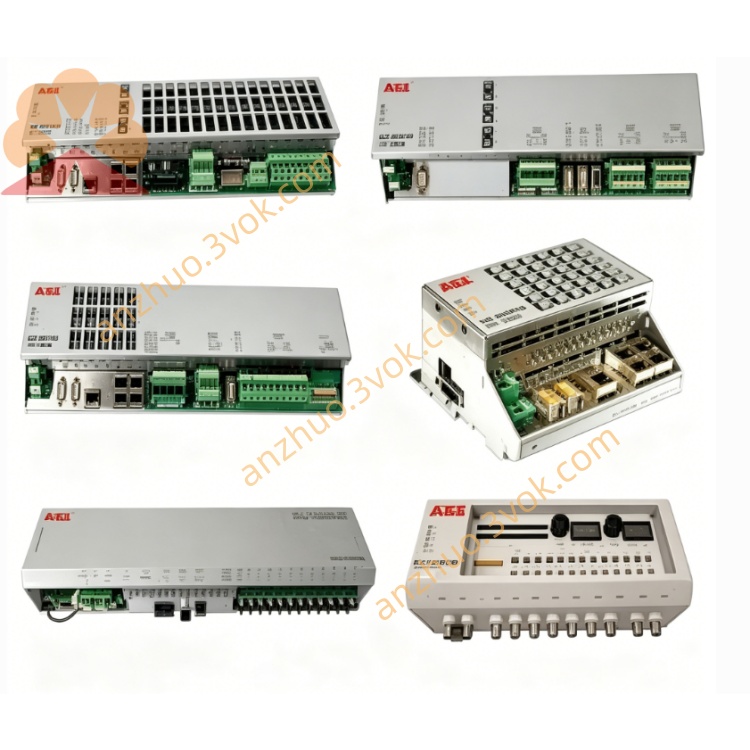
ABB 1SBP260171R1001 CP502 text operator HMI panel
1SBP260171R1001 is CP502 text operator HMI panel belonging to ABB S500 and AC31 PLC control system series, serving as onsite human-machine interaction terminal matched with Advant Controller 31 controller and S500 I/O modules. It adopts cabinet front panel embedded installation design with integrated LCD screen and physical operation keypad, used for field parameter checking, setpoint modification and equipment running status monitoring. This product has been phased out of original factory mass production, brand-new original spare parts and fully tested refurbished products are supplied for old automation system upgrading and on-site spare replacement.
Description
Product Introduction
1SBP260171R1001 is CP502 text operator HMI panel belonging to ABB S500 and AC31 PLC control system series, serving as onsite human-machine interaction terminal matched with Advant Controller 31 controller and S500 I/O modules. It adopts cabinet front panel embedded installation design with integrated LCD screen and physical operation keypad, used for field parameter checking, setpoint modification and equipment running status monitoring. This product has been phased out of original factory mass production, brand-new original spare parts and fully tested refurbished products are supplied for old automation system upgrading and on-site spare replacement.
Model Definition
1SBP is fixed universal coding prefix for ABB S500 series automation accessories. 260171 represents base hardware coding of CP502 text display panel. Suffix R1001 stands for factory standard hardware revision and default factory firmware configuration, other suffix variants only adjust partial internal program version without changing hardware outline dimension, communication definition and installation size.
Technical Specifications
The panel runs on 24VDC rated working power supply, compatible with standard industrial control cabinet DC power distribution. Equipped with two-line × twenty-character backlit LCD text display unit and integrated membrane function keypad. Front panel protection grade reaches IP65 for onsite dustproof and splashproof performance, rear wiring area keeps IP20 protection standard. Rated working ambient temperature ranges from 0℃ to +50℃, storage temperature covers -20℃~+70℃, applicable working humidity is 5%~95% non-condensing environment. Internal communication circuit adds galvanic isolation against surge interference and complies with CE and UL industrial safety certification standardsABB Group.
Interface and Communication Configuration
Rear side reserves RS232, RS422 and RS485 three kinds of serial communication interfaces, two communication ports can operate simultaneously under normal working condition. Wiring terminals are arranged at rear housing for serial bus connection with AC31 main CPU or third-party field control instruments. No onboard backplane bus connector, all data interaction between panel and PLC relies on external serial communication cable connection. No additional fieldbus expansion interface is reserved under standard factory configuration.
Core Functions
Real-time read operating data, switch status and analog parameter values from matched AC31 PLC, convert collected data into readable text content and display on built-in LCD screen. Complete on-site parameter modification, set value input and control instruction sending via front physical keypad, transmit edited configuration data back to main controller for storage and execution. Support local recipe data storage and quick recall function for multi-production parameter switching, realize basic on-site equipment operation without upper computer intervention.
Application Scenarios
Mainly embedded on control cabinet door of food processing equipment, small packaging machinery, water pump station control system and auxiliary chemical production unit, deployed as field local operation panel of AC31+S500 automation control set for on-site equipment debugging and daily running monitoring work.
Operation and Maintenance Instructions
Cut off 24VDC input power supply and wait more than 5 minutes for residual electricity release before disassembling panel or modifying communication wiring. Conduct regular quarterly maintenance by wiping front screen and keypad with dry soft cloth to remove dust and oil contamination, check rear communication terminal wiring tightness regularly to avoid loose contact causing intermittent communication fault. When screen displays abnormal garbled text or fails to link with PLC normally, firstly inspect serial cable integrity and communication address parameter setting before replacing the whole panel. Prevent overvoltage power access to rear wiring terminals to avoid internal mainboard circuit burnout.
Get a Quote