
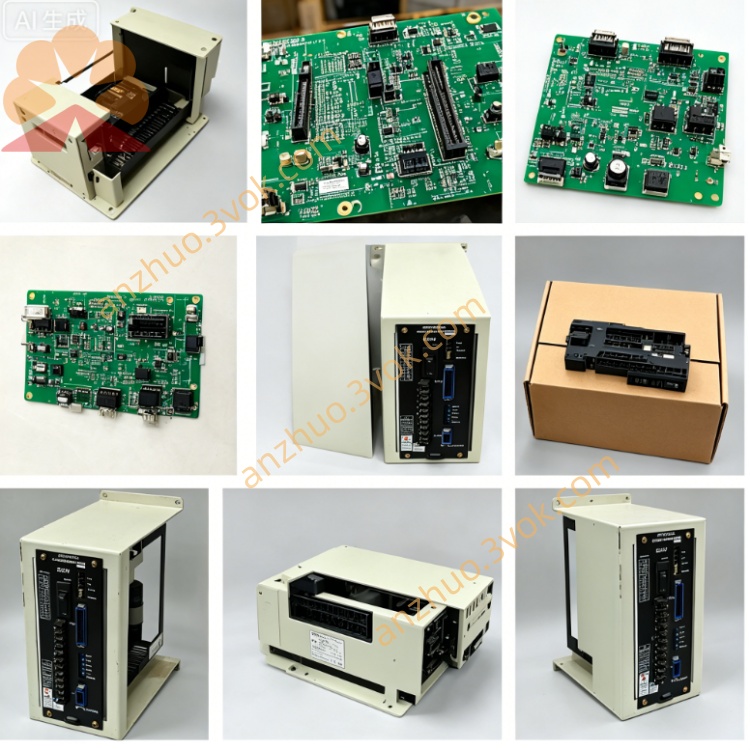
JZNC-IRK31M
JZNC-IRK31M is a Yaskawa original relay output I/O board used for Yasnac CNC control cabinet. This board serves as intermediate signal conversion component between CNC main control board and field machine peripheral actuators. There is no independent single manual for this model, all specifications are sourced from Yaskawa Yasnac series hardware maintenance documents.
The main function of JZNC-IRK31M is converting internal logic control signals from CNC mainboard into relay contact output signals to drive external loads such as indicator lamps, electromagnetic valves and small contactors. It isolates internal CNC circuit and field external circuit via built-in relays to prevent surge voltage or short-circuit fault from field side damaging main control unit.
Description
1. General Description
JZNC-IRK31M is a Yaskawa original relay output I/O board used for Yasnac CNC control cabinet. This board serves as intermediate signal conversion component between CNC main control board and field machine peripheral actuators. There is no independent single manual for this model, all specifications are sourced from Yaskawa Yasnac series hardware maintenance documents.
The main function of JZNC-IRK31M is converting internal logic control signals from CNC mainboard into relay contact output signals to drive external loads such as indicator lamps, electromagnetic valves and small contactors. It isolates internal CNC circuit and field external circuit via built-in relays to prevent surge voltage or short-circuit fault from field side damaging main control unit.
2. Electrical and Environmental Specifications
This board is powered by DC24V supplied from cabinet internal power unit. Each built-in relay is designed for passive contact output without built-in power source on the board side. External working power for load needs to be provided from outside wiring loop separately.
The continuous operating ambient temperature ranges from zero degree Celsius to fifty-five degree Celsius. Storage temperature after power off is between minus twenty degree Celsius and seventy-five degree Celsius. Working ambient humidity should be kept from ten percent to ninety percent without condensation. Installation environment with heavy dust, corrosive gas or excessive moisture is not allowed. The board is fixed inside closed CNC control cabinet by standard screw installation.
3. Connector Function Definition
One onboard connector connects signal cables leading back to CNC main control board. This channel receives digital output instruction signals sent out by CNC system to trigger corresponding onboard relay coil action. Poor contact or broken wiring here will cause relevant relay unable to pull in normally.
Another terminal block is prepared for all external field load wiring. All normally open or normally closed relay contacts are led out to these terminals. Users connect external valve coils and signal lamps onto these terminals following on-site wiring requirements. Improper short-circuit on external load wiring may lead to abnormal relay burnout.
4. Installation and Replacement Guidance
Completely cut off the total AC power of CNC cabinet and wait more than five minutes for residual electric charge release before removing JZNC-IRK31M to avoid electric shock and circuit damage caused by residual voltage.
Mark every wire position on external terminals and system signal connector before pulling out all connecting wires orderly. Remove fixing screws and take the old board out from installation slot smoothly.
Install new JZNC-IRK31M into cabinet slot and fix mounting screws firmly. Recover all connecting wires strictly according to previous marking sequence. After wiring is fully finished, switch on cabinet main power, send corresponding output instructions from CNC operation panel to verify each relay pulls in correctly and external loads work as designed.
5. Common Troubleshooting Guide
When corresponding external load cannot be actuated after CNC sends output command, check whether related relay on JZNC-IRK31M can produce pull-in action sound. If no relay action exists, inspect signal wiring between mainboard and I/O board.
Relay pulls in normally but external device still fails to work, measure external power supply voltage at load terminal and check open circuit of field connecting wires.
Multiple channels fail to output at the same time, confirm DC24V working power input for the whole board is normal and check for short-circuit fault on common external wiring.
6. Safety Notes
Never replace original onboard relays with non-specified model products. Random change of internal circuit or wiring definition is forbidden. Any unapproved modification will break circuit isolation performance and cause potential damage to CNC control system. All maintenance work should be completed by skilled technicians familiar with Yaskawa CNC configuration.
Get a Quote