
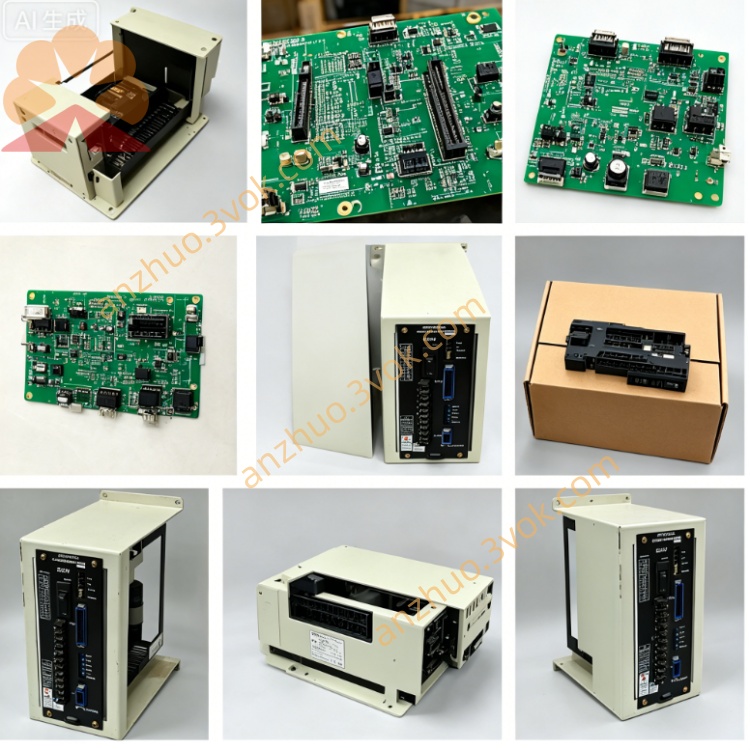
JZNC-IOP01E
JZNC-IOP01E is an operator panel I/O interface circuit board exclusively designed for Yaskawa MOTOMAN DX100 robot controller cabinet. This board serves as the core intermediate signal conversion unit between main control CPU, cabinet front operating panel, handheld teach pendant and system safety circuit. No separate standalone official manual is released for this board; all standard specifications and operation instructions are excerpted from DX100 controller maintenance manual with document code 158604-1CD in English version.
Description
1. General Description
JZNC-IOP01E is an operator panel I/O interface circuit board exclusively designed for Yaskawa MOTOMAN DX100 robot controller cabinet. This board serves as the core intermediate signal conversion unit between main control CPU, cabinet front operating panel, handheld teach pendant and system safety circuit. No separate standalone official manual is released for this board; all standard specifications and operation instructions are excerpted from DX100 controller maintenance manual with document code 158604-1CD in English version.
The core working purpose of JZNC-IOP01E covers four main directions. First, it builds full-duplex serial communication channel to connect controller mainboard and handheld programming teach pendant, meanwhile supplying DC24V working power to the pendant device. Second, it collects all switching input signals from cabinet front panel including run switch, stop switch, operation mode selector switch and cabinet door safety interlock switch, and outputs driving signals for panel indicator lamps. Third, it centrally distributes all emergency stop loop signals from three sources: teach pendant emergency stop button, cabinet body emergency stop button and external peripheral safety stop contact, forming interlocked safety control circuit for servo enable protection. Fourth, it transmits partial internal control logic signals between main CPU board and universal I/O board JZNC-YIU01-E inside cabinet.
2. Electrical and Environmental Specifications
The board receives rated DC24V working power supplied by internal cabinet power module JZNC-YPS01-E, with maximum rated operating current reaching 1.8A under full load condition. Two built-in quick-blow fuses marked F1 and F2 are pre-installed on PCB, each rated 3.15A at 250V for overcurrent protection of teach pendant power and panel I/O power separately.
For environmental application requirement, continuous operating ambient temperature ranges from 0 degree Celsius to positive 55 degree Celsius, and permissible storage temperature after power cut is from negative 20 degree Celsius to positive 75 degree Celsius. Applicable ambient relative humidity keeps between 10 percent and 90 percent without any condensation of water vapor inside cabinet. The board is fixed on internal cabinet rack via standard screw mounting structure and works only inside closed DX100 control cabinet without open-air installation allowed.
3. Definition of Main Onboard Connectors
Connector CN300 is a 26-pin dedicated interface for teach pendant connection, responsible for serial transmit signal, serial receive signal, DC24V power supply, zero volt ground wire and feedback signal of pendant-mounted emergency stop circuit. Improper plugging or open circuit of CN300 will directly lead to teach pendant no power and blank screen failure.
Connector CN1 is terminal interface for cabinet front panel signals, receiving all digital input from physical operation switches and sending driving output to status indicator lamps fixed on cabinet door. All signal wires of front panel buttons are wired concentratedly onto CN1 terminals according to factory standard wiring definition.
Connector CN2 is exclusive safety circuit connection port, conducting interconnection of emergency stop chain loop between JZNC-IOP01E and main safety relay unit inside controller. Abnormal open circuit on CN2 wiring triggers persistent emergency stop alarm and cuts off servo power output automatically.
4. Installation and Replacement Instruction
Cut off total AC input power supply of DX100 controller completely and wait more than five minutes for residual capacitance discharge before any disassembly operation of JZNC-IOP01E to avoid electric shock or component burnout caused by residual voltage.
Mark wire correspondence for each connector CN300, CN1 and CN2 in sequence before unplugging all plug terminals one by one to prevent wrong wiring during reinstallation. Remove fixed mounting screws on the edge of circuit board then pull out the board slowly from cabinet internal slot along insertion direction.
Align new replacement JZNC-IOP01E with cabinet slot and push in place tightly, fix mounting screws back to original position, recover all connector plugs following previous marking order strictly. After full wiring restoration, switch on controller main power and complete system self-check procedure, verify teach pendant communication, panel button function and emergency stop loop status are all normal before formal equipment operation.
5. Basic Troubleshooting Guidance
If teach pendant fails to power on and screen keeps dark, first inspect integrity of F1 fuse on JZNC-IOP01E and check continuity of CN300 power wiring and teach pendant connecting cable.
When all cabinet front panel buttons lose response after triggering, measure DC24V input voltage at CN1 power terminal and examine status of F2 protection fuse on circuit board.
Continuous emergency stop alarm appears on controller without any pressed stop button, check open or short circuit of all wiring linked to CN2 safety terminal and test on-off continuity of each emergency stop contact in whole safety loop.
6. Safety Warning
Do not modify onboard circuit, replace original fuse with non-rated specification or change factory preset wiring of any connector arbitrarily, unauthorized modification will damage safety interlock function and bring hidden danger for personal and equipment safety. All maintenance work on JZNC-IOP01E must be finished by professionally trained maintenance personnel familiar with DX100 controller system.
Get a Quote