
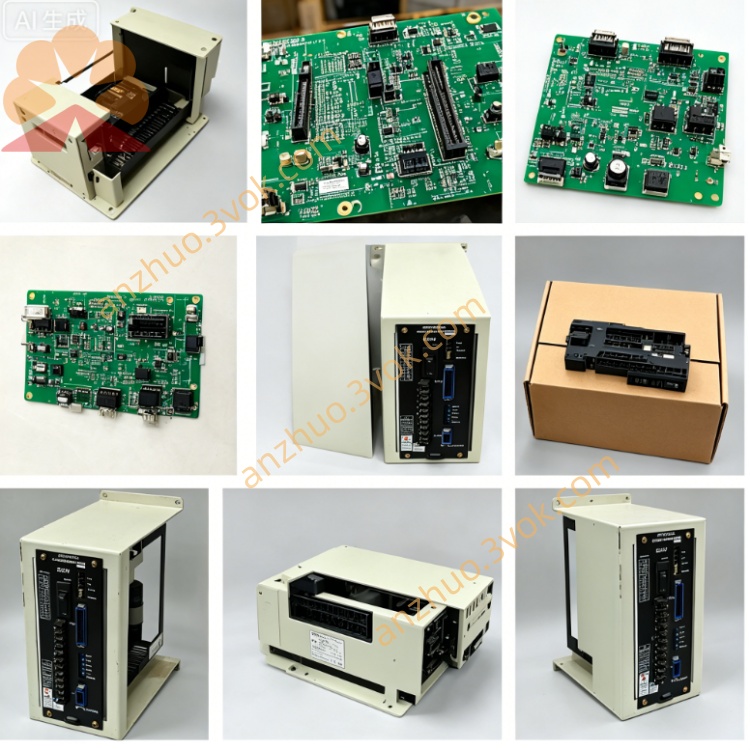
JANCD-YCP01A-E (DX100 Standard CPU Board)
Description
1. General Information
2. Specifications
Processor: 32-bit RISC, 120 MHz
Memory:
Flash: 1 MB (system firmware + user programs)
RAM: 64 KB (execution memory)
Power Supply: DC 24 V ±10% (from backplane)
Power Consumption: Max 15 W
Operating Temperature: 0 °C to +55 °C (YCP01A-E)
Storage Temperature: -20 °C to +70 °C
Humidity: 30%–85% RH (non-condensing)
Dimensions (W×H×D): Approx. 84 × 95 × 60 mm
Weight: Approx. 0.40 kg
Mounting: Dedicated CPU slot on JANCD-YBB01 backplane
3. On-Board Connectors & Layout
CN101: Teach Pendant – connects to DX100 teach pendant
CN102: Ethernet – 10/100 Mbps (program upload/download, remote access)
CN103: RS-232 – serial communication (legacy devices)
CN104: RS-485 – serial communication (I/O, vision)
CN105: System Bus – connects to YBB01 backplane (power + data)
CN106: CF Card Slot – backup/restore programs & parameters
PWR: DC24V power OK
RUN: CPU running (flashing = normal operation)
ERR: System fault (firmware, hardware, or config error)
COM: Communication activity (Ethernet/serial)
4. Safety Precautions
Disconnect main power before installation/removal; wait 15 minutes for capacitors to discharge (electric shock hazard).
Never insert/remove CF card while power is ON (data corruption risk).
Ensure cabinet ground resistance <0.1 Ω before powering ON.
Keep away from water, oil mist, dust, and direct sunlight.
Replace only with JANCD-YCP01A-E; do not substitute YCP01B-E or YCP21-E.
Do not touch gold contacts with bare hands (static damage).
Use only a dry lint-free cloth for cleaning.
5. Installation Procedure
Power OFF: Turn off controller main power; wait 15 minutes.
Access Cabinet: Open front door; locate CPU slot on YBB01 backplane.
Insert Board:
Align YCP01A-E with slot guides.
Push firmly until fully seated (latch clicks).
Connect Cables:
CN101 → Teach pendant cable
CN102 → Ethernet cable (if used)
CN105 → Backplane (auto-connects when seated)
Close Cabinet: Secure door; restore main power.
Verify: Check PWR ON + RUN flashing; confirm teach pendant boots.
6. Replacement Instructions
Backup Data: Save all programs, parameters, and system data to CF card.
Power OFF: Disconnect main power; wait 15 minutes.
Disconnect Cables: Unplug CN101, CN102, CN103, CN104.
Remove Old Board: Release latch; pull straight out (avoid twisting).
Install New Board: Follow Section 5 steps 3–4.
Reconnect Cables: Verify port labels match.
Power ON & Restore: Boot system; load backup from CF card.
Test: Check motion, I/O, and communication functions.
7. Troubleshooting
PWR LED OFF
Check DC24V supply to CPU slot.
Verify YBB01 backplane power.
Check CN105 connection.
RUN OFF / ERR ON
Re-seat board; check for bent pins.
Restore firmware via CF card (corruption).
Inspect YBB01 backplane for damage.
Teach Pendant No Connection
Check CN101 cable/connector.
Verify teach pendant power (from CPU).
Test with known-good pendant.
Ethernet/Serial Fail
Check cable/connector integrity.
Verify IP/serial parameters.
Check COM LED for activity.
8. Maintenance
6-Month Inspection: Connector tightness, dust, LED status.
Cleaning: Dry lint-free cloth; avoid contacts.
CF Card: Industrial grade; replace every 2–3 years.
Service Life: 5–8 years; replace if burned, corroded, or unstable.
9. Compatibility
Fully Compatible: DX100 + YBB01 backplane.
Variant: YCP01A-E = standard temp; YCP01B-E = extended temp.
Not Compatible: DX200 (uses YCP21-E), NX100 (uses NCP01).
Get a Quote