
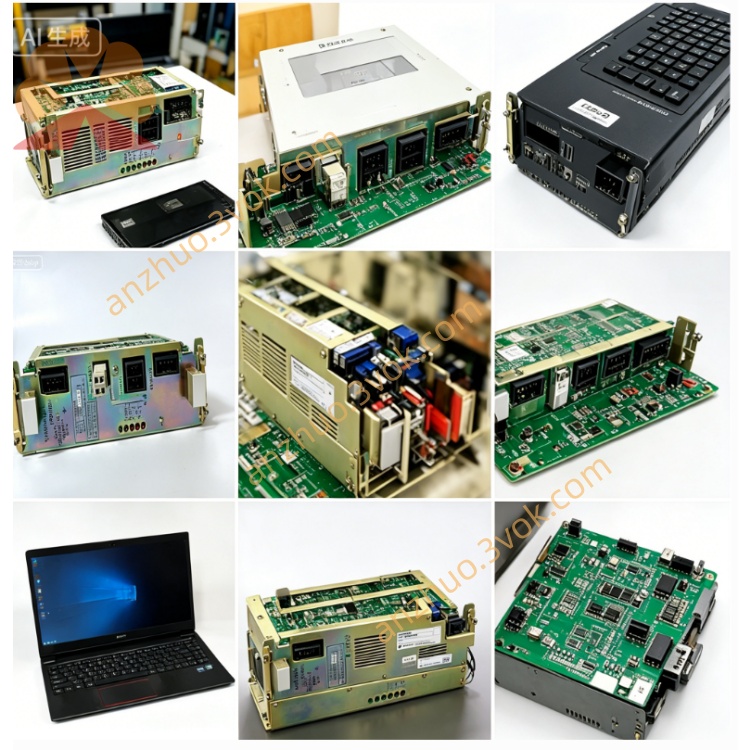
JANCD-XIF04
JANCD-XIF04 is an upgraded communication daughter board designed for Motoman XRC series robot controllers including XRC1000 and XRC2001. It serves as a replacement model for JANCD-XIF03 and needs to be installed on matching CPU boards such as XCP01C and XCP01B. This board realizes Ethernet and multi-type serial communication between robot control system and external equipment including PLC, upper computer, HMI and vision devices for automatic production lines of welding, handling and coating.
Description
1. General Description
JANCD-XIF04 is an upgraded communication daughter board designed for Motoman XRC series robot controllers including XRC1000 and XRC2001. It serves as a replacement model for JANCD-XIF03 and needs to be installed on matching CPU boards such as XCP01C and XCP01B. This board realizes Ethernet and multi-type serial communication between robot control system and external equipment including PLC, upper computer, HMI and vision devices for automatic production lines of welding, handling and coating.
2. Main Functions
It provides 10/100Mbps Ethernet communication supporting TCP/IP and Modbus TCP protocols with improved anti-interference performance compared with XIF03. Three types of serial communication interfaces including RS232C, RS422 and RS485 are integrated on board for connection with traditional peripheral equipment. The built-in data buffer and protocol conversion circuit reduce data processing load of main CPU, meanwhile real-time communication fault information is uploaded to main control system for troubleshooting.
3. Technical Specifications
Rated working power is 24VDC with plus and minus ten percent tolerance, and typical working current is around 120mA. Normal operating temperature ranges from zero degree Celsius to forty degree Celsius, storage temperature covers minus twenty degree Celsius to sixty degree Celsius. Working relative humidity is below eighty percent without condensation. Standard revision is Rev A with part code DF9303054-A1.
4. Connector Definition
CN1 is RJ45 Ethernet port for network cable connection. CN2 is DB9 RS232C interface used for equipment debugging and offline data transmission. CN3 is terminal block for RS422 and RS485 wiring. CN4 is internal bus connector for data exchange with main CPU board. CN5 receives 24VDC input power.
5. Compatibility
This communication card is exclusively applicable for XRC1000 and XRC2001 control cabinets, and it can directly substitute JANCD-XIF03 without any wiring adjustment. It cannot be installed on DX200 controller which uses YIF01-E communication board instead. JANCD-XIF04-1 is the extended version with extra battery and optional expansion slot.
6. LED Indicator Instruction
Green PWR light keeps steady on when 24VDC power supply is normal. Green RUN indicator lights up continuously to show normal board operation and stable data exchange with CPU. Green LINK lamp turns on when physical Ethernet connection is built successfully. Red ALM lights once communication timeout, parameter mismatch or circuit failure occurs.
7. Installation and Daily Maintenance
Cut off total cabinet power supply and wait at least five minutes for capacitor residual electricity release before replacement work. Wear anti-static wristband to prevent static damage to electronic components during installation. Fix the board into reserved slot of CPU board with mounting screws and reconnect all external communication cables. Inspect cable integrity and connector tightness every year, back up system data via CompactFlash before board replacement.
8. Order and Safety Notice
Official part number is JANCD-XIF04 and it is manufactured by Yaskawa Electric Motoman Robotics Division. Brand new products come with twelve months warranty under standard industrial working environment. Only qualified professional technicians are allowed to carry out installation and maintenance work. Disconnect power source in advance to avoid electric shock and equipment damage, arbitrary circuit modification will void product warranty.
Get a Quote