
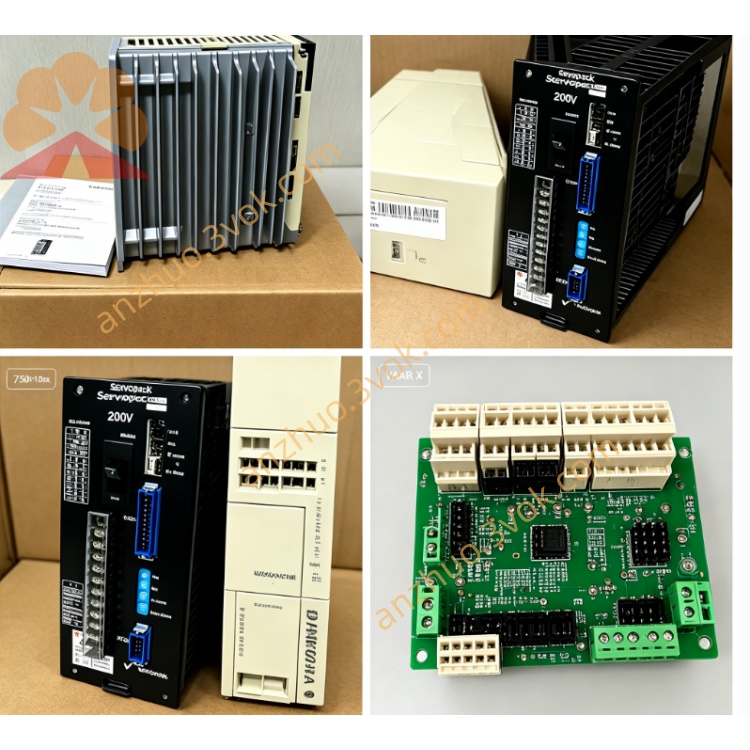
JANCD-XBB02 Backplane Board for Yaskawa Motoman XRC Controller
Description
1. General Information
Model: JANCD-XBB02
Manufacturer: Yaskawa Electric (Motoman Robotics)
Applicable System: XRC Series Robot Controller
Function:
System backplane / motherboard
Interconnection for CPU, I/O, servo, and communication boards
Power distribution and signal routing
Revision: DF9203004‑C0(标准版本)
2. Specifications
2.1 Electrical
Supply Voltage: 24 VDC ±10%
Backplane Slots: 10(比 XBB01 多 2 槽)
Signal Interface: Parallel bus + power rails
Isolation: Enhanced opto‑isolation on I/O lines
2.2 Physical
Dimensions: Approx. 320 × 280 × 35 mm
Weight: Approx. 0.6 kg
Mounting: Rear side of XRC cabinet, M3 screws (0.8–1.0 N·m)
Material: FR‑4 PCB, industrial‑grade gold‑plated contacts
2.3 Environmental
Operating Temperature: 0 °C to +55 °C
Storage Temperature: −10 °C to +60 °C
Humidity: 5%–80% RH (non‑condensing)
Vibration: ≤ 0.5 G (10–500 Hz)
3. Board Outline & Slots
Slot 0: CPU/Main Control Board (JANCD‑XCP series)
Slot 1–8: General‑purpose I/O/Servo Boards (e.g., JANCD‑X1002, XEW01)
CN1: 24 VDC Power Input
CN2: System Bus / Signal Interface
CN3: External I/O Terminal (DB or flat cable)
4. LED Indicators
PWR (Green): ON = 24 VDC normal
SYS (Green): Blinking = system bus active
ALM (Red): ON = short circuit / overcurrent / board not seated
5. Installation & Replacement
Power OFF the controller; wait 5 minutes for capacitor discharge.
Use an anti‑static wristband.
Remove old backplane: Disconnect all cables → remove mounting screws → take out board.
Install new backplane: Align and insert → tighten M3 screws (0.8–1.0 N·m) → reconnect all cables.
Power ON and verify: PWR ON, SYS blinking, ALM OFF.
6. Compatibility
Controller: XRC standard / extended cabinet
Compatible Boards: JANCD‑X series (X1002, XEW01, XTU01, etc.)
Replacement: Direct replacement for JANCD‑XBB01
7. Maintenance & Troubleshooting
7.1 Maintenance
Quarterly: Check gold‑plated contacts for oxidation; verify connector tightness.
Annually: Clean dust with low‑pressure air; inspect solder joints and connectors.
7.2 Troubleshooting
PWR OFF: Check 24 VDC input at CN1 and fuse.
ALM ON: Check for incorrect board insertion, short circuit, or dirty contacts.
SYS not blinking: Re‑seat CPU and backplane; check bus connections.
8. Ordering Information
Part Number: JANCD-XBB02 (DF9203004‑C0)
Manufacturer: Yaskawa Electric Corporation
Warranty: 12 months under normal operating conditions
9. Warnings
For qualified personnel only.
Disconnect power before servicing; wait for discharge to avoid electric shock.
Do not modify the board; avoid touching gold‑plated contacts to prevent oxidation.
Get a Quote