
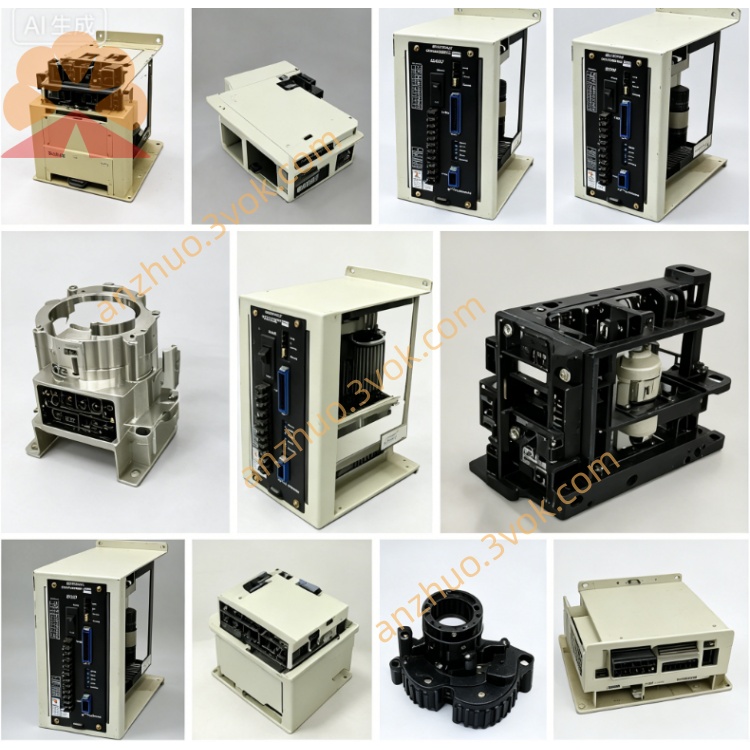
JANCD-SP23(Yaskawa / Motoman) CRT/MDI Operator Panel Video Board
Description
1. General Information
Part Number: JANCD‑SP23(also JANCD‑SP23‑01)
Manufacturer: Yaskawa Electric Corporation / Motoman Robotics
Product Type: ACGC 14" Color Video / Display Board(CRT/MDI operator panel graphics card)
Function:
Color CRT video drive (14" ACGC monitor)
MDI/operator panel interface & control
Panel I/O and LED status management
System communication with CNC/robot controller
Applicable Systems:
YASNAC LX3 / MX3 / LX10 CNC systems
Motoman ERC robot controllers (late models, color panel option)
Operator panel with 14” ACGC color CRT monitor
Status: Discontinued(original production ended;available as new old stock / refurbished)
Series: Successor to JANCD‑SP21;color display upgrade from SP21’s monochrome CRT
2. Specifications
Electrical
Power Supply: 24 V DC(backplane bus)
Current Consumption: Max 2.5 A
Video Output: Analog RGB for 14” ACGC color CRT
Panel Interfaces:
CN2: CNC/controller communication
CNB: CRT monitor connection
20‑pin flat cable: MDI keypad(JANCD‑SP19)
Environmental
Operating Temperature: 0 °C to +50 °C
Storage Temperature: −20 °C to +60 °C
Humidity: ≤95% RH(non‑condensing)
Physical
Dimensions: Standard Yaskawa backplane card
Weight: Approx. 0.18 kg
Mounting: Dedicated slot in LX3/MX3/ERC backplane
3. Main Functions
- Color CRT Video Control
Drives 14” ACGC color CRT(RGB analog)
Displays CNC/robot status, parameters, programs, and alarms
Higher resolution & color depth vs SP21 monochrome
- MDI Keypad & Panel I/O
Scans JANCD‑SP19 membrane keypad
Processes mode switches, pushbuttons, and LED indicators
Front‑panel status & error LED management
- System Communication
High‑speed data link to main CNC/robot CPU via CN2/CNB
Panel‑to‑controller protocol handling
- Enhanced Display Features
On‑screen diagnostics & alarm messages
Support for graphical tool paths and system graphics(color)
4. Compatibility
✅ Fully Compatible
YASNAC LX3 / MX3 / LX10 CNC(14” ACGC color panel)
Motoman ERC robot controllers(late revisions, color HMI option)
MDI keypad JANCD‑SP19
❌ Not Compatible
XRC, NX100, DX100, DX200, YRC1000(different panel architecture)
Monochrome‑only panels(SP21/SP20 series)
5. Installation & Replacement
- Power Off & Discharge
Turn off controller power;wait 5 minutes for capacitors to discharge
- ESD Protection
Use anti‑static wrist strap;work in ESD‑safe area
- Board Removal(Old Board)
Disconnect CN2, CNB, and keypad flat cable
Remove mounting screws;pull board straight out
- New Board Insertion
Align and insert JANCD‑SP23 into dedicated slot
Secure with screws
- Cable Reconnection
Connect CN2(controller), CNB(CRT), and 20‑pin keypad cable
- Power On & Verify
Power on;check color display, keypad response, and LED status
6. Troubleshooting
No Color Display
Check 24 V DC power to the board
Verify CNB CRT cable connection
Inspect RGB video signals;test CRT monitor
Keypad Not Responding
Check 20‑pin flat cable to SP19
Inspect keypad membrane for damage
Verify CN2 communication link
Flickering / Poor Colors
Check video cable shielding
Adjust CRT bias/brightness(if available)
Re‑seat board;clean gold contacts
LEDs Not Lighting
Check 24 V backplane power
Re‑insert board firmly
Inspect on‑board fuses
7. Safety & Maintenance
Always power off and discharge before handling
Use ESD protection to avoid static damage
Do not connect/disconnect cables while powered
Keep board clean;avoid dust and moisture
Regularly inspect connectors for wear or corrosion
8. Difference from JANCD‑SP21
| Feature | JANCD‑SP21 | JANCD‑SP23 |
|---|---|---|
| Display | Monochrome CRT | 14” ACGC Color CRT(RGB) |
| Resolution | Text‑only | Color graphics + text |
| Panel Type | Basic operator panel | Enhanced color operator panel |
| Current | Max 2 A | Max 2.5 A |
| CRT Support | MDT‑948B‑3(mono) | ACGC 14”(color) |
| Status | Discontinued | Discontinued(color upgrade) |
9. Disclaimer
This document is a technical summary/datasheet for JANCD‑SP23
Original Yaskawa official manual(if available)takes precedence
For official documentation, contact your Yaskawa/Motoman representative
Get a Quote