
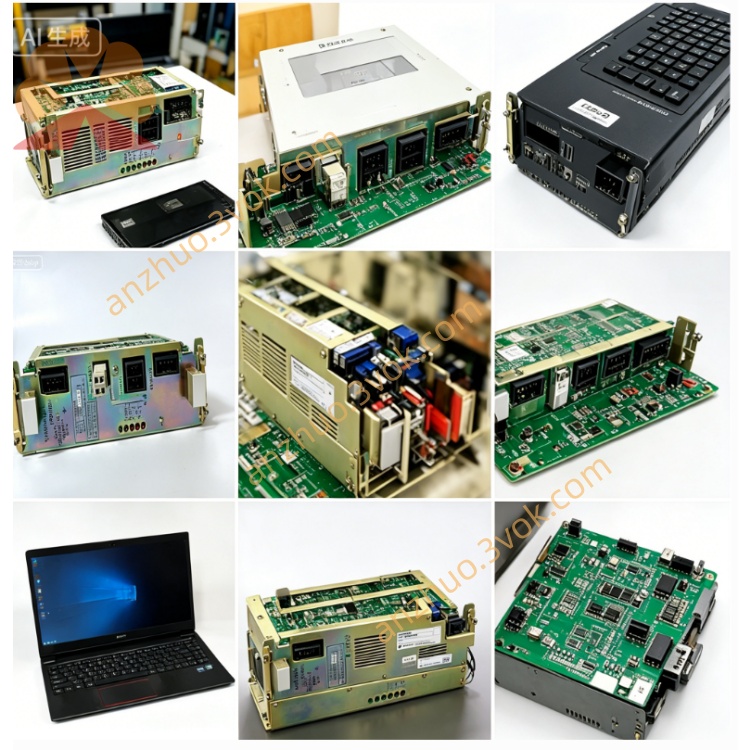
JANCD-SP20B
Description
1. General
Part Numbers: JANCD‑SP20B‑01, JANCD‑SP20B‑02(commonly called SP20B)
Manufacturer: Yaskawa Electric / Motoman Robotics
Function: Keyboard/CRT display controller(operator panel I/F, MDI interface)
Applicable Systems:
Motoman ERC robot controller
YASNAC LX3 / MX3 CNC(with MDT‑948B‑3 monochrome CRT)
Status: Discontinued(only used / refurbished / surplus available)
Origin: Japan
2. Specifications
Power: +12 V DC(from controller backplane)
Current: ~0.5 A
Operating Temp: 0 °C to 55 °C
Storage Temp: −20 °C to 60 °C
Humidity: ≤95% RH(non‑condensing)
Key Interfaces:
20‑pin flat cable: connects to JANCD‑SP19 external keypad
CRT video port: drives monochrome CRT monitor
System bus: communication with ERC / LX3 / MX3 main CPU
3. Main Functions
Keyboard scanning & encoding: Reads SP19 key matrix, debounces, converts to key codes
CRT video control: Outputs text, parameters, and status to CRT display
Front‑panel I/O: Processes mode switches, LEDs, and operator controls
System bridge: Transfers data between man–machine devices and main controller
4. SP20B‑01 vs SP20B‑02
- JANCD‑SP20B‑01:
Early revision; mainly for YASNAC LX3 CNC CRT/keyboard only
Limited compatibility; not fully optimized for ERC robots
- JANCD‑SP20B‑02:
Standard Rev B version(most common)
Fully compatible with Motoman ERC + YASNAC LX3/MX3
Optimized for use with JANCD‑SP19 keypad
5. Compatibility
✅ Motoman ERC robots
✅ YASNAC LX3 / MX3 CNC(MDT‑948B‑3 monitor)
❌ Not compatible: XRC, NX100, DX100, DX200 and later Motoman controllers
6. Common Issues & Troubleshooting
Keypad no response: Check 20‑pin cable, SP19 membrane, and board fuse
Key jitter / multiple triggers: Worn SP19 keypad or scanning circuit fault
CRT no display: Verify +12 V supply, CRT cable, and video driver circuits
Board not recognized: Clean gold‑finger contacts; re‑seat in backplane slot
7. Installation Notes
Power off and wait 5 minutes for capacitor discharge
Use ESD protection(wrist strap)
Insert into designated backplane slot and secure
Connect SP19 flat cable and CRT monitor cable
Power on and test keypad input, CRT display, and panel LEDs
Get a Quote