
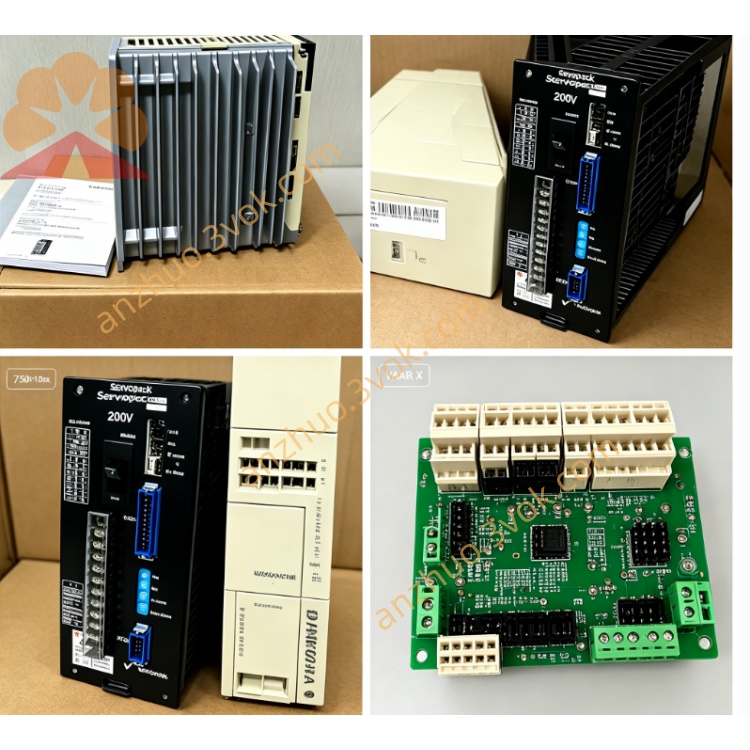
JANCD-MM06
Description
1. General Description
2. Specifications
Model: JANCD‑MM06
Manufacturer: Yaskawa Electric
Type: Non‑volatile program and parameter memory expansion board
Storage Media: High‑density Flash array with permanent data retention without power
Storage Capacity: Larger than JANCD‑MM05, supporting extensive CNC programs, robot job programs, multi‑axis parameters, I/O configurations, tool offsets, system diagnostics, fault logs, and full system backups
Core Functions: Stores system firmware, user applications, motion control parameters, I/O address mapping, tool compensation, and historical fault data; supports system boot, one‑click data backup and restore, offline program migration, and controller‑to‑controller data cloning
Hardware Interface: Proprietary parallel‑bus edge connector for direct insertion into the controller backplane standard 3U slot
Power Supply: 5 VDC from the controller backplane; low power consumption, no external power source required
Operating Temperature: 0 °C to +55 °C
Storage Temperature: −20 °C to +70 °C
Humidity: 5% RH to 95% RH, non‑condensing
Mounting: Standard 3U slot installation, secured by two screws for vibration resistance
Weight: Approximately 1.0 kg
Compatibility: YASNAC J50/i60/i70 CNC series, Motoman XRC/MRC robot controllers; not compatible with DX series robots, i80/i90 CNC systems, or non‑Yaskawa equipment
Product Status: Discontinued; available only as maintenance spare parts
Reliability: Equipped with anti‑static, surge protection, and over‑voltage protection circuits for long‑term industrial continuous operation
3. Installation and Replacement
Power Off and Lockout: Shut down the controller completely and disconnect all AC and DC power sources to avoid electric shock or equipment damage.
Locate Slot: Identify an available standard 3U slot in the controller rack; ensure the slot is compatible with the JANCD‑MM series.
Insert Board: Align the edge connector with the slot, then insert firmly and evenly until the board is fully seated.
Secure Board: Fasten the board with two mounting screws to prevent vibration‑induced loosening during operation.
Power On and Recognition: Reconnect power to the controller; the system will automatically detect, initialize, and recognize the JANCD‑MM06 board.
Load Data: After successful recognition, load system software, user programs, or restore backups via the CNC or teach pendant operation menu.
4. Backup and Restore
Backup: Use the CNC operation panel (for CNC systems) or teach pendant (for robot systems) to save all user programs, parameters, tool offsets, and system logs to the JANCD‑MM06 board.
Restore: Boot the controller directly from the memory board or select the “Restore from Memory Board” option in the system menu to recover all saved data.
Cloning: Support one‑click data cloning between identical compatible controllers for rapid system deployment.
Best Practice: Maintain redundant backups—one stored on‑board and one on external USB storage—to prevent accidental data loss.
5. Safety and Handling Precautions
ESD Protection: Always wear a grounded anti‑static wrist strap when handling the board to prevent static electricity damage to sensitive components.
No Hot Plugging: Never insert or remove the board while the controller power is on; this may cause permanent damage to the board or controller.
Environmental Care: Avoid exposure to static, moisture, dust, oil, and physical impact. Store the board in a dry, clean, anti‑static environment when not in use.
No Unauthorized Modification: Do not open, modify, repair, or tamper with the board; any unauthorized alteration voids warranty and may lead to system failure.
Ventilation: Keep the controller’s ventilation areas unobstructed. Clean dust from the board and controller annually to ensure proper heat dissipation and prevent overheating.
6. Compatibility Statement
7. Difference from JANCD‑MM05
JANCD‑MM05: High‑capacity model for standard large‑scale applications, supporting basic expanded program and parameter storage.
JANCD‑MM06: Enhanced high‑capacity variant, offering larger storage space, faster data read/write speed, improved anti‑interference performance, and support for system data cloning; pin‑compatible and directly interchangeable with MM05 for seamless upgrade or replacement.
Get a Quote