
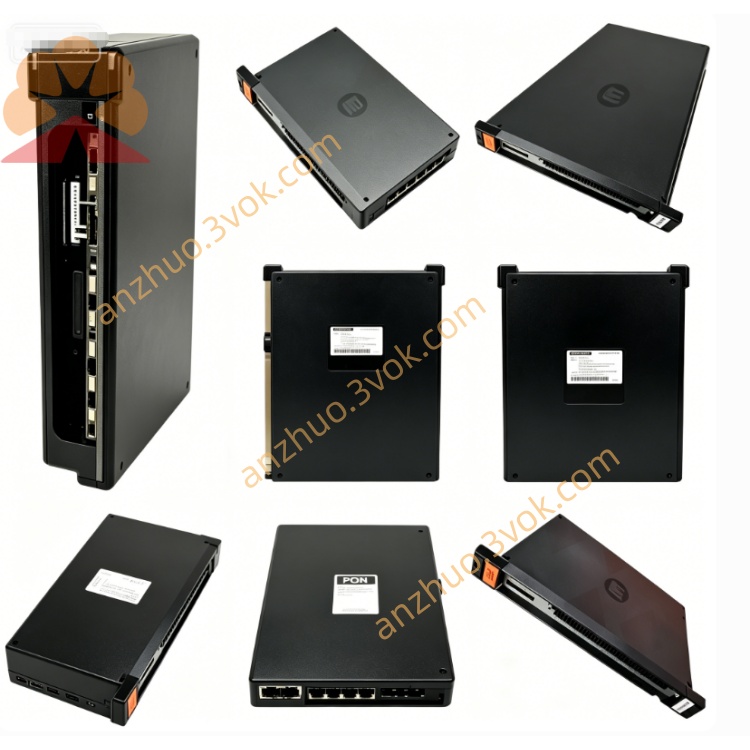
RELIANCE 57C404B high-performance network communication module
Description
Product Overview
Model Definition
Technical Parameters
Network Protocol: Proprietary R‑NET (Reliance Network) for AutoMax systems.
Communication Speed: Up to 1 Mbps (R‑NET backbone).
Supported Nodes: Up to 32 nodes per R‑NET segment.
Isolation: 2500 VAC RMS galvanic isolation between network and backplane.
Operating Voltage: 5 VDC and ±12 VDC (backplane‑powered).
Operating Temperature: 0 °C to +60 °C.
Status Indicators: Dual LEDs (OK/Fault) for module and network status.
Installation: Single‑slot, hot‑swap capable in standard AutoMax racks.
Interface and Communication Configuration
Backplane Interface: Dedicated edge connector for power and data via AutoMax Multibus.
Network Port: Isolated RJ45 or terminal block for R‑NET network wiring.
Communication Protocol: R‑NET master/slave communication; supports peer‑to‑peer data sharing between AutoMax processors.
Compatibility: Works with 57C404C, 57C417, and other AutoMax communication modules; integrates with AutoMate PLCs via gateway.
Core Functions
Establishes and manages R‑NET network communication for AutoMax systems.
Transmits real‑time control data, status information, and diagnostic messages between distributed controllers and I/O racks.
Provides galvanic isolation to protect the main system from network‑side electrical noise and faults.
Supports network configuration, node addressing, and fault diagnosis via system software.
Enables redundant communication paths for high‑availability system designs.
Application Scenarios
Process industries: Steel, pulp and paper, water treatment, chemical, and power plants with distributed control.
Factory automation: Assembly lines, material handling, and packaging machinery requiring multi‑rack coordination.
System integration: Connecting AutoMax processors, remote I/O racks, and third‑party devices via R‑NET.
Motion control: Synchronizing multiple drives and controllers in complex motion applications.
Operation and Maintenance Instructions
Power off the rack before installation or removal.
Insert the module into the designated slot and ensure firm backplane contact.
Wire the R‑NET network to the correct port, observing polarity and termination requirements.
Configure network parameters (node address, baud rate, redundancy) via AutoMax system software.
Keep the rack clean, dry, and well‑ventilated; avoid corrosive gases and excessive vibration.
Monitor LED indicators periodically; replace the module with the same part number if faults persist.
Do not disassemble or modify the module; repairs must be performed by authorized personnel.
Get a Quote